
This umbrella schedule matching card simplifies cross-referencing between umbrella policy addenda and your listed underlying insurance policy numbers. It eliminates common mismatches that can delay umbrella claim processing or lead to coverage gaps for liabilities that exceed underlying policy limits. You can use the steps and reference table on this page to organize your personal or commercial insurance folder set without requiring support from your broker unless you identify unresolvable discrepancies. Clause Shelf provides this process for administrative folder organization only, and no content on this page modifies existing coverage terms or replaces guidance from your licensed insurance provider.
Umbrella schedule number columns for cross-reference checks
Every standard umbrella policy schedule, whether for personal or commercial coverage, includes structured columns dedicated to tracking the underlying policies that the umbrella coverage sits on top of. The four core columns you will find on nearly every schedule are line of coverage identifier, issuing carrier full legal name, full policy number, and active coverage effective and expiration dates. Many commercial umbrella schedules also add a fifth “unique schedule ID” column that assigns a 2 or 3 digit numeric code to each underlying policy entry, which you can use as a tagging system for physical and digital file organization. When you first receive a new or updated umbrella schedule, you should first audit these columns for blank entries, truncated text, or typos before beginning the cross-reference process. For example, if the policy number column entry for your underlying professional liability policy is cut off after 6 characters due to a printing error, you will need to request a corrected schedule from your issuer before moving forward, as partial numbers cannot be reliably matched to your underlying policy records. You should also flag any entries that use generic labels in the line of coverage column, such as “Liability” instead of “Non-Owned Auto Liability”, as these vague labels can lead to mismatching with the wrong underlying policy if you hold multiple liability coverage types.

Underlying policy entry boxes that map to corresponding coverage lines
Every underlying insurance policy declarations page has standardized, labeled entry boxes that correspond directly to the columns on your umbrella schedule, so you do not have to search through full policy wording to find the matching details. The “Policy Number” box is usually located in the top right corner of the first page of the declarations page, and will include all relevant prefixes, suffixes, hyphens, and leading zeros that are part of the official policy number assigned by the carrier. You should never truncate or reformat this number when cross-referencing, as even small formatting differences can cause automated carrier systems to flag the policy as unrecognized during claim processing. For example, an underlying personal auto policy number listed as “PA-1234567-00” on the declarations page should be listed exactly as that string on the umbrella schedule, not shortened to “1234567” or rewritten as “PA123456700”. For commercial policyholders with multiple underlying policies under the same coverage line, such as separate general liability policies for different operating locations, each policy will have its own unique policy number entry box on its own declarations page, and each should have a separate line item entry on your umbrella schedule. You should also cross-reference the “Policy Effective Date” and “Policy Expiration Date” boxes on the underlying declarations page with the date column on the umbrella schedule to confirm that the underlying policy is active for the full term of the umbrella coverage, or that a renewal policy number is listed for any gaps after the underlying policy expires.
Matching card attached notes that flag policy number formatting discrepancies
The umbrella schedule matching card is a single-page reference tool you can fill out and attach to the inside cover of your umbrella policy folder to track all confirmed matches and noted discrepancies between your umbrella schedule and underlying policy numbers. The table below provides a fillable template for this matching card, with clear instructions for each field and guidance on when to flag a discrepancy for follow-up with your broker or carrier.
| Matching Card Field | Purpose | Entry Instructions | Flag If Discrepancy Is Found |
|---|---|---|---|
| Umbrella Schedule Line Number | Tracks which line of the umbrella schedule the entry corresponds to | Enter the 1-2 digit line number printed to the left of the underlying policy entry on your umbrella schedule | The line number is missing or duplicated for multiple coverage lines |
| Underlying Coverage Type | Confirms the coverage line matches across both documents | Enter the exact coverage type listed on the underlying policy declarations page | The coverage type on the umbrella schedule uses an abbreviation not listed on the underlying policy (e.g., “GL” instead of “General Liability”) |
| Umbrella-Listed Policy Number | Shows the policy number as printed on the umbrella schedule | Enter the full string including all prefixes, suffixes, and hyphens exactly as it appears on the schedule | Any character differs from the number printed on the underlying policy declarations page |
| Underlying Policy Term | Validates that the underlying policy is active during the umbrella policy term | Enter the start and end date of the underlying policy | The underlying policy term ends before the umbrella policy term with no listed renewal on the schedule |
| Carrier NAIC Number | Confirms the issuing carrier matches across both documents | Enter the 5-digit NAIC number printed on the underlying policy declarations page | The NAIC number listed on the umbrella schedule does not match the number on the underlying policy |
Once you have filled out all fields for each underlying policy listed on your umbrella schedule, attach a sticky note to any line items with flagged discrepancies, and list the specific difference between the umbrella schedule entry and the underlying policy entry on the note. For example, if the umbrella schedule lists your general liability policy number as GL-987654 but your underlying declarations page lists it as GL-987654-01, note the missing “-01” suffix on the sticky note so you can share that detail with your provider when you request a corrected schedule. You can also add optional notes to the matching card for reference, such as the date you contacted your broker to resolve a discrepancy, or the confirmation number for a corrected schedule you received from the carrier.
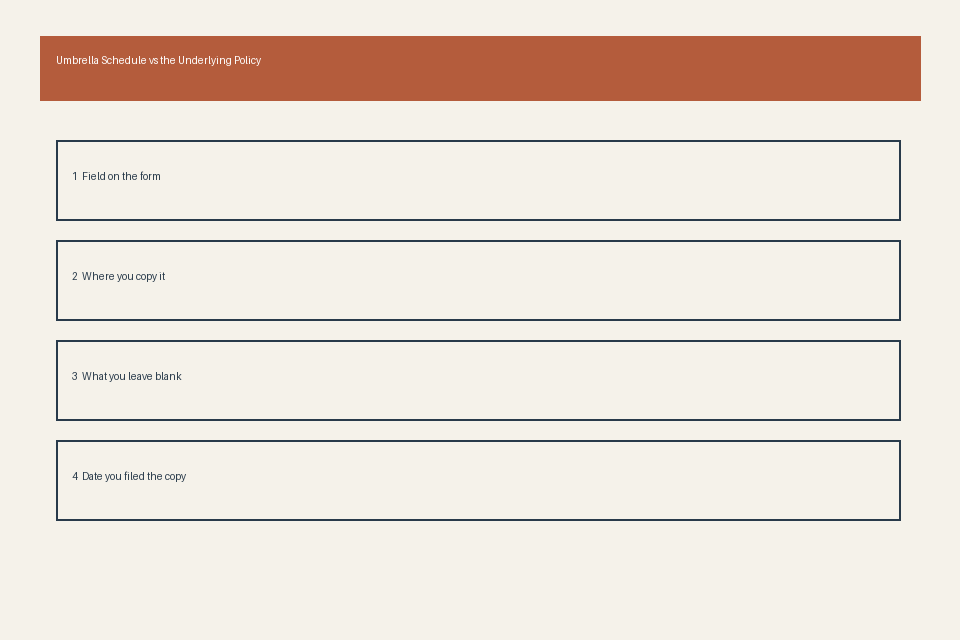
Printed cross reference form that validates aligned policy number pairings
Once you have resolved all flagged discrepancies and confirmed that all policy number pairs match exactly across your umbrella schedule and underlying declarations pages, you can create a printed cross reference form to store in both your umbrella policy folder and each individual underlying policy folder. You do not need to create a new document for this form: you can simply make two copies of your completed, verified matching card, and file one copy in the main umbrella folder and the second copy in the corresponding underlying policy folder. This cross reference form serves as proof that you verified the policy number alignment, and makes it faster to pull up related records if you need to file a liability claim that exceeds your underlying policy limits. For example, if you are involved in an auto accident that results in $1.2 million in damages, and your underlying auto policy has a $500,000 per occurrence limit, you can quickly reference the cross reference form in your auto folder to find the matching umbrella policy number and schedule line item, so you can provide all required details to both carriers when filing the combined claim. You should update this cross reference form any time you make changes to your underlying policies, such as switching carriers, adjusting coverage limits, or adding new coverage lines, and request an updated umbrella schedule from your carrier to reflect these changes as soon as they go into effect.
Physical policy folder tabs that sort related schedule and policy records
Organizing your physical insurance folders with clearly labeled, consistent tabs will make it faster to cross-reference policy numbers and pull required records during renewal periods or claim filings. Your main umbrella policy folder should have four color-coded tabs in the following order: first, a blue tab for the base umbrella policy declarations page and full policy wording; second, a yellow tab for all current and historical umbrella schedules, sorted by effective date with the most recent schedule on top; third, a green tab for all completed matching cards and cross reference forms, also sorted by effective date; fourth, an orange tab for all correspondence with your broker or carrier related to underlying policy updates, schedule corrections, or coverage change requests. For each individual underlying policy folder, add a small purple tab labeled “Umbrella Cross Reference” at the front of the folder, where you will store the copy of the matching card line item that corresponds to that specific underlying policy. If your umbrella schedule uses unique line IDs for each underlying policy, you can also add a small numeric tab to the spine of each underlying policy folder that matches the line ID on the umbrella schedule, so you can pull all relevant underlying policies in seconds when reviewing your umbrella coverage. At every annual renewal period, you should replace all outdated tabs and cross reference forms with updated versions that reflect the new policy terms and numbers, to ensure your records stay consistent and accurate for the full policy term. Clause Shelf offers additional folder organization templates for insurance records for users who want to standardize their full personal or commercial insurance file system, though all guidance on this page is for administrative use only and does not modify coverage terms.
Before filing your next umbrella policy renewal in your insurance folder, complete one matching card entry for each underlying policy listed on the updated schedule to confirm no number mismatches were introduced during the renewal process.