This network column comparison table outlines cost distinctions printed on your official EOB paperwork for covered medical services. You can cross-reference these columns to verify billed costs, plan allowances, and your personal out-of-pocket responsibility before you file a copy of the EOB in your medical claim folder or follow up with your plan administrator for discrepancies. All line items listed on a standard EOB are split between these two columns to align with your plan’s network coverage rules, and mismatches between column entries are a top source of overbilling errors reported to plan admin teams each year. This guide is designed for personal paperwork organization use only, and Clause Shelf does not act as a coverage adjudicator or claims representative for any plan.
In-network column allowed amount box listings
This column contains all line items for services delivered by providers who have a formal contracted rate agreement with your health plan. Entries start with the full billed amount submitted by the in-network provider, followed by the pre-negotiated allowed amount that your plan has agreed to pay for the service. The column will also list the portion of the allowed amount applied to your annual in-network deductible, any fixed copay required for the service type, the applicable in-network coinsurance percentage, and the total amount the plan has paid to the provider for the line item. Any difference between the billed amount and the allowed amount will be listed as a provider write-off, as in-network providers are prohibited from balance billing members for this difference under most non-grandfathered plan terms and federal rules. In-network column entries will also note if a service is excluded from coverage entirely, even if delivered by an in-network provider, such as cosmetic procedures not deemed medically necessary. You can cross-reference these exclusion notes with your plan’s summary of benefits and coverage (SBC) to confirm the exclusion is applied correctly, before you pay any billed amount from the provider. Illustrative example: a provider bills $800 for a routine lab panel, the in-network allowed amount is $320, so the $480 difference is listed as a provider write-off in this column’s notes section.

Out-of-network column patient liability note sections
This column lists line items for services rendered by providers who do not have a contracted rate agreement with your health plan. For most plans, out-of-network services are only covered if they are pre-authorized by the plan prior to delivery, or if they are emergency services as required by federal law. Entries include the full billed amount submitted by the out-of-network provider, the plan’s usual, customary and reasonable (UCR) allowance for the service in your geographic region, the portion of the UCR amount applied to your separate out-of-network annual deductible (if your plan includes out-of-network coverage), and the applicable out-of-network coinsurance percentage. Explicit patient liability notes are included for any amount above the UCR allowance, which the provider may bill you directly unless state or federal balance billing protections apply. Balance billing protections under the No Surprises Act apply to most out-of-network emergency services, as well as out-of-network care delivered at an in-network facility for non-emergency services, so if you see a patient liability note for these types of services in the out-of-network column, you can flag the entry for correction with your plan. Many plans will automatically reprocess these claims to apply in-network cost sharing, but you may need to submit a copy of your itemized bill to confirm the service setting qualifies.
Side-by-side column cost comparison schedule rows
You can use this printable schedule to cross-reference line items across both columns for every EOB you receive, and flag entries that require further follow-up with your plan.
| Line Item Label | In-Network Column Entry | Out-of-Network Column Entry | Cross-Reference Check Flag |
|---|---|---|---|
| Billed Service Amount | Full amount submitted by in-network provider | Full amount submitted by out-of-network provider | Flag if entries for the same service code differ by more than 20% for identical care |
| Allowed/Contracted Rate | Negotiated plan-provider contracted rate | Plan’s UCR allowance for the geographic region | Flag if out-of-network UCR is listed lower than the in-network contracted rate for the same service |
| Deductible Application | Amount applied to in-network annual deductible | Amount applied to separate out-of-network annual deductible (if applicable) | Flag if deductible amount is applied to the wrong tier per your plan terms |
| Patient Cost Share | Fixed copay or standard in-network coinsurance percentage of allowed amount | Higher out-of-network coinsurance percentage of UCR allowance | Flag if coinsurance percentage matches in-network tier incorrectly |
| Write-off Eligibility | Full difference between billed and allowed amount marked as provider write-off | No write-off listed, full balance above UCR marked as patient responsibility | Flag if in-network column does not list a required write-off for non-balance-billed services |
You can print this schedule and tape it inside the front cover of your medical claim folder to cross-reference each EOB you receive, before you file supporting documents like provider bills or pre-authorization confirmations. Use highlighters to color-code matching entries between the two columns for easy reference, and attach sticky notes to flagged entries to document the date you followed up with the plan, the name of the customer service representative you spoke with, and any reference number issued for your dispute. This documentation will be critical if you need to escalate the discrepancy at a later date. You can reach out to your HR benefits desk or licensed plan broker if you cannot resolve a flagged entry directly with the plan’s customer service line.
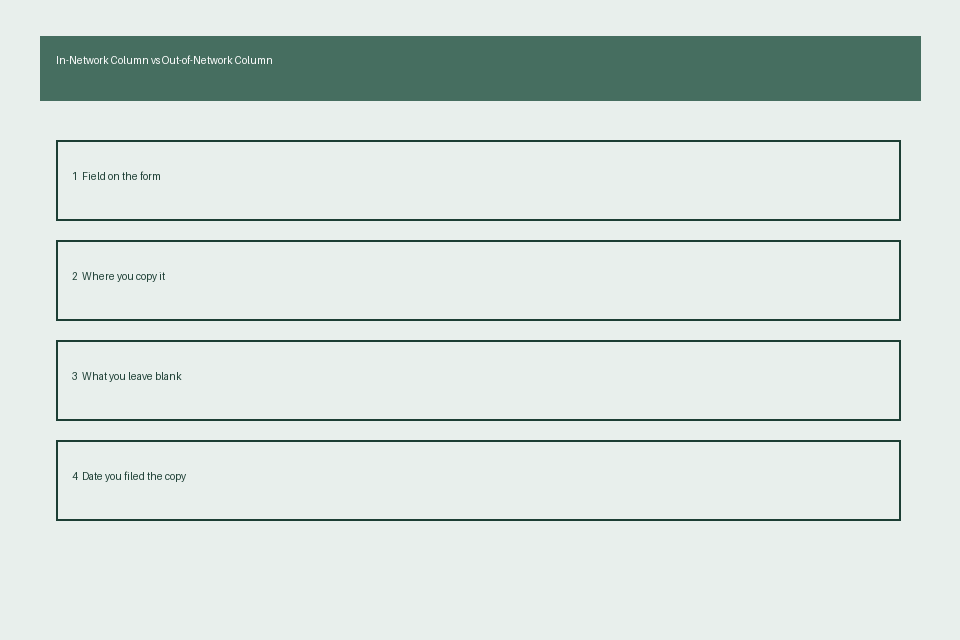
EOB form included column reference key
Most standard EOBs include a 1-2 page reference key at the bottom or back of the form that defines every line item code and abbreviation used in both network columns. This key will specify if your plan uses separate deductible pools for in and out-of-network care, if out-of-network coverage is only available for emergency services, and what modifier codes are used to mark pre-authorized out-of-network services that qualify for in-network cost sharing. Some reference keys will also include contact information for the plan’s claims dispute department, as well as deadlines for submitting formal appeals of incorrect EOB entries. Most plans require appeals to be submitted within 180 days of the date the original EOB was issued, so noting this deadline in your folder will help you avoid missing the window for a formal review. You should keep a copy of this reference key filed with the corresponding EOB in your claim folder, so you do not have to request a new copy from the plan if you file a dispute later. Illustrative example: A reference key may note that modifier code “OA” listed next to an out-of-network line item means the service was delivered in an emergency setting, so you are only responsible for in-network cost sharing amounts for that line item. If the reference key is missing from your physical or digital EOB, you can request a digital copy from your plan’s member portal for your records.
Finalized claim folder column discrepancy checklists
Before you mark an EOB as finalized and store it in your permanent claim folder, run through this quick checklist to address column discrepancies first. First, confirm that every service code listed on your provider’s itemized bill appears in the correct column based on the provider’s network status at the time of service, not their current network status. Second, verify that cost share amounts listed in the in-network column do not exceed the maximum out-of-pocket limit for your plan’s in-network tier for the applicable plan year. Third, cross-check that any out-of-network emergency services or out-of-network care delivered at an in-network facility are re-coded to the in-network column as required by the No Surprises Act, if applicable to your service date. Fourth, confirm that any pre-authorized out-of-network services are listed with the agreed-upon cost share amount noted on your pre-authorization confirmation documentation. Fifth, verify that any payments you have already made to the provider are correctly credited in the appropriate column, so you do not pay duplicate amounts for the same service. If you have already paid a balance billed amount for a service protected under balance billing rules, you can include a copy of your payment receipt with your dispute request to request a refund from either the provider or the plan, depending on your plan’s policies. Make a copy of any corrected EOB issued by the plan, and file it alongside the original EOB and all supporting correspondence in your folder. If you are unable to resolve a discrepancy after 2 follow-up requests to the plan, you can escalate the issue to your state’s department of insurance for further review, or consult a licensed claims professional for guidance.
Pull your most recent EOB from your claim folder today, and cross-check 3 line items across the in-network and out-of-network columns using the comparison schedule above to identify any unaddressed discrepancies.