This reference table aligns auto insurance loss-of-use column values with submitted rental invoice data for efficient claims processing. It is designed for use in personal and commercial auto claim file folders, to reduce redundant follow-up requests between policyholders, claims processing teams, and third-party rental vendors. Clause Shelf provides this as a non-binding educational reference, and all coverage determinations are made exclusively by the adjusting entity per the terms of the active, in-force insurance policy. Users are advised to consult their licensed insurance broker, claims adjuster, or HR benefits desk for questions specific to their individual coverage terms.
Loss-of-use column daily rate box
This field is located on the first page of the standard auto claim loss assessment worksheet, typically in the right-hand third of the “Covered Expense Projections” section, directly below the estimated repair duration entry. The value entered here is pulled directly from the policy’s declarations page, reflecting the pre-contracted daily maximum for rental vehicle coverage, and excludes any optional add-ons (such as supplemental damage waivers, toll passes, or GPS rentals) that are not explicitly pre-authorized by the assigned adjuster. This daily rate is locked for the full estimated repair duration noted on the initial adjuster work order, and any extensions to the coverage period require a signed addendum to be added to the claim file before the rate is adjusted or the coverage period is extended. Illustrative example: if a policyholder’s declarations page lists a $45 per day rental limit for a standard sedan class vehicle, that $45 value is entered in this box before any rental invoices are submitted for review. All entries in this box must be dated and initialed by the adjuster assigned to the specific claim to be considered valid for payment processing; uninitialed or unsigned entries will be flagged for review before any payments are released.
Rental invoice itemized charge box
This is the dedicated section of the submitted rental vendor invoice that lists line-item daily rental charges, separate from one-time fees such as pickup and dropoff surcharges, tolls, parking tickets, or post-rental cleaning fees. Policyholders are advised to highlight this section with a yellow marker before submitting the invoice to their claims team, to ensure the line-item daily rate is easily locatable for cross-reference with the loss-of-use column value. Any charges listed in this box that correspond to a vehicle class outside the pre-approved category (for example, upgrading to a full-size SUV when a standard sedan is the covered class) must be accompanied by a written justification from the repair shop or assigned adjuster confirming the upgrade was necessary due to unforeseen repair delays, family transportation needs, or other policy-compliant reasons. Handwritten changes to values in this box on the physical invoice must be stamped and signed by the on-site rental location manager to be considered valid; unapproved, scribbled adjustments to daily rates will not be processed as part of the claim, and the policyholder will be responsible for any unsubstantiated increases in charge.
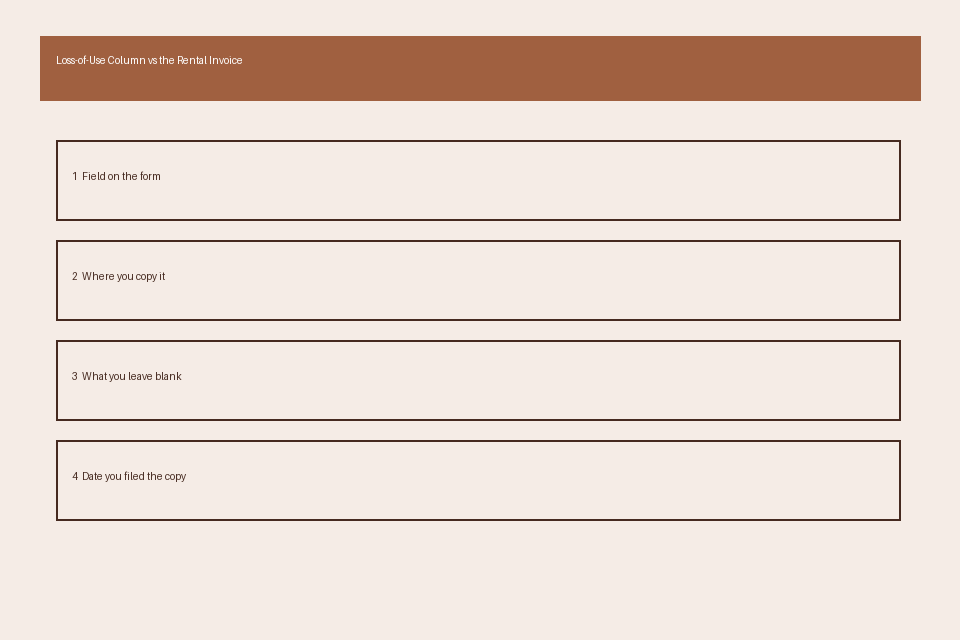
Comparison table cross-reference note
This note is added to the claim file’s expense reconciliation tab immediately after both the loss-of-use column daily rate and the rental invoice itemized charges are verified for accuracy. The cross-reference table, included below, is used to log every billing period’s alignment or discrepancy, so all stakeholders can track approved vs. submitted charges without pulling multiple separate documents from the claim file. A copy of both the signed loss assessment worksheet and the fully itemized rental invoice must be attached directly behind the cross-reference note in the folder, to provide immediate supporting documentation for every entry in the table. Any discrepancy marked with a “Y” in the table requires an additional supporting document (such as an approval email for a vehicle upgrade, a repair completion notice, or a written policyholder appeal) to be filed alongside the table to avoid processing delays. The table below follows standard claim filing formatting requirements:
| Billing Period Start | Billing Period End | Loss-of-Use Column Approved Daily Rate | Rental Invoice Submitted Daily Rate | Discrepancy Flag | Adjuster Initials |
|---|---|---|---|---|---|
| 10/12/2024 | 10/18/2024 | Illustrative example: $45.00 | Illustrative example: $42.75 | N/A | JDF |
| 10/19/2024 | 10/25/2024 | Illustrative example: $45.00 | Illustrative example: $45.00 | N/A | JDF |
| 10/26/2024 | 11/01/2024 | Illustrative example: $45.00 | Illustrative example: $52.10 | Y (upgrade to full-size for family transport, approved 10/25/2024) | JDF |
| 11/02/2024 | 11/08/2024 | Illustrative example: $45.00 | Illustrative example: $78.30 | Y (unauthorized luxury upgrade, policyholder responsible for $33.30 per day) | JDF |
| 11/09/2024 | 11/15/2024 | Illustrative example: $0.00 | Illustrative example: $43.90 | Y (repairs completed 11/08/2024, no further coverage approved) | JDF |
The cross-reference note should also include the full 9-digit claim number, the date the table was compiled, and the full name of the person who completed the cross-reference, to create a clear audit trail for all expense reviews.
Adjuster entry verification form
This one-page form is completed by the assigned adjuster immediately after the cross-reference table is drafted, to confirm that all loss-of-use column entries match the active policy terms, and all rental invoice charges were reviewed for proper authorization. Required fields on the form include the full claim number, policyholder full name and contact information, VIN of the damaged insured vehicle, approved repair duration start and end dates, total pre-approved loss-of-use payout amount for the full claim, written confirmation that all unauthorized charges are clearly marked and communicated to the policyholder via certified mail or secure email, and the adjuster’s official signature and date of completion. If the policyholder disputes any of the marked unauthorized charges, they can submit a written appeal attached directly to this form, which will be reviewed by the claims supervisor within 10 business days of receipt, per standard industry processing timelines. This form must be placed on top of the expense reconciliation tab in the claim file, so it is the first document visible when reviewing loss-of-use payments, to eliminate time spent searching for supporting approval documentation. Blank copies of this form can be downloaded from common claims resource platforms, including Clause Shelf, for use with standard claim file organization systems.
Approved payment schedule rows
These rows are located in the insurance carrier’s claims payment processing system, and are populated directly from the data in the cross-reference table and the signed adjuster entry verification form. Each individual row corresponds to one billing period from the submitted rental invoice, and includes the total approved amount for that period, any amount marked as the policyholder’s responsibility, the designated payee (either the rental vendor directly, or the policyholder if they paid the rental charges out of pocket), and the scheduled payment disbursement date. Per standard claims processing workflows, approved amounts are typically transferred to the designated payee within 3 business days of the verification form being filed, unless there is a pending policyholder appeal that requires additional review. A printed copy of the approved payment schedule rows must be added to the claim file’s disbursement tab, along with a copy of the payment confirmation receipt, to create a full, auditable paper trail of all loss-of-use disbursements related to the claim. Policyholders can request a full copy of this payment schedule from their assigned adjuster at any time during the claims process, and may use this schedule to reconcile any charges they receive directly from the rental vendor.
After compiling the cross-reference table and confirming all entries match your policy’s listed rental coverage limits, submit the table, a copy of the fully itemized rental invoice, and any supporting authorization documents to your assigned adjuster to initiate loss-of-use payment processing.